Apply Nix-Shell environment in Visual Studio Code
A lot of developers faced a problem with packages hell on their workstation. After a couple of months with experiments, including different languages and toolchains, I installed Elixir, Haskell-stack, Node.js/NVM, and other various stuff. Most exciting things happen when you need different versions of the same package for different projects. Humanity already invented a different solution for creating an isolated environment and switch them when needed. We are using NVM to manage Node.js versions, Python Virtual Env for selecting Python stuff versions or Docker for creating OS inside an OS. But none of the solutions satisfy all my requirements for the isolated development environment.
Inroduction to requirements for managing isolated environment tool
It was a cold autumn evening. I was sitting in my kitchen room and thought about perfect isolation for project workspace with their dependencies. Actually, I didn’t, but the paragraph should have an introduction.
After that, I wrote following criteria for my perfect isolation tool:
- Should cover different languages and packages: not just Node.js, Python or Haskell.
- No virtualization. We are too young for all this shit. Lets save our time.
- All workspace packages should be easy to remove.
- All workspace environments should be easy to remove.
- My IDE should be working with all this stuff without calling Molfars from the Ukrainian Carpathian mountains.
We need a cup of tea and Google, but cup of tea at first
I remember that once I read about the declarative package manager that can produce an isolated environment and manage all system dependencies and Haskell project dependencies as well.
Five minutes googling, 30 minutes reading, and 1-hour trying let me find out that the current tool is all I need. All I need is love. But stop, it’s another song. All I need is Nix.
Let’s compare the requirements I wrote above from actual Nix features.
- Compatible with macOS — yes.
- Covers different languages and packages — yes.
- No virtualization — really no virtualization.
- All workspace packages should be easy to remove — maybe yes, but I don’t know how.
- My IDE should be working with all this stuff — no. There no way to integrate Nix Environment to Visual Studio Code.
Help yourself. Writing Visual Studio Code extension
The extension helps you integrate VS Code and Nix-shell together.
I’m too lazy to write this chapter from scratch, so the text bellow is copy/paste from official README.md from my extension.
Getting started
- First of all, you should install Nix package manager [1].
- Restart VS Code to be sure path to run nix-shell configured properly
- Install the extension [2]
- Create nix env config, like default.nix in your project workspace root
- Open commands pallet (Cmd/Ctrl + Shift + P) and type Select environment
- From the list of nix virtual environments choose the one you’d like to apply
Haskell Project running example
To run your Haskell application, you have to install the GHC compiler. To avoid global GHC installation and be able to use different compiler versions in your host lets do this by using nix virtual environment.
Example of GHC compiler inside the NIX store (shell.nix):
{ nixpkgs ? import <nixpkgs> {} }:
let
  inherit (nixpkgs) pkgs;
  inherit (pkgs) haskellPackages;
  haskellDeps = ps: with ps; [
    base
    lens
    mtl
    random
  ];
  ghc = pkgs.haskell.packages.ghc864.ghcWithPackages haskellDeps;
  nixPackages = [
    ghc
    pkgs.gdb
    haskellPackages.cabal-install
  ];
in
pkgs.stdenv.mkDerivation {
  name = "snadbox-haskell-workspace";
  buildInputs = nixPackages;
}
Now let’s try to open our project in Visual Studio Code.
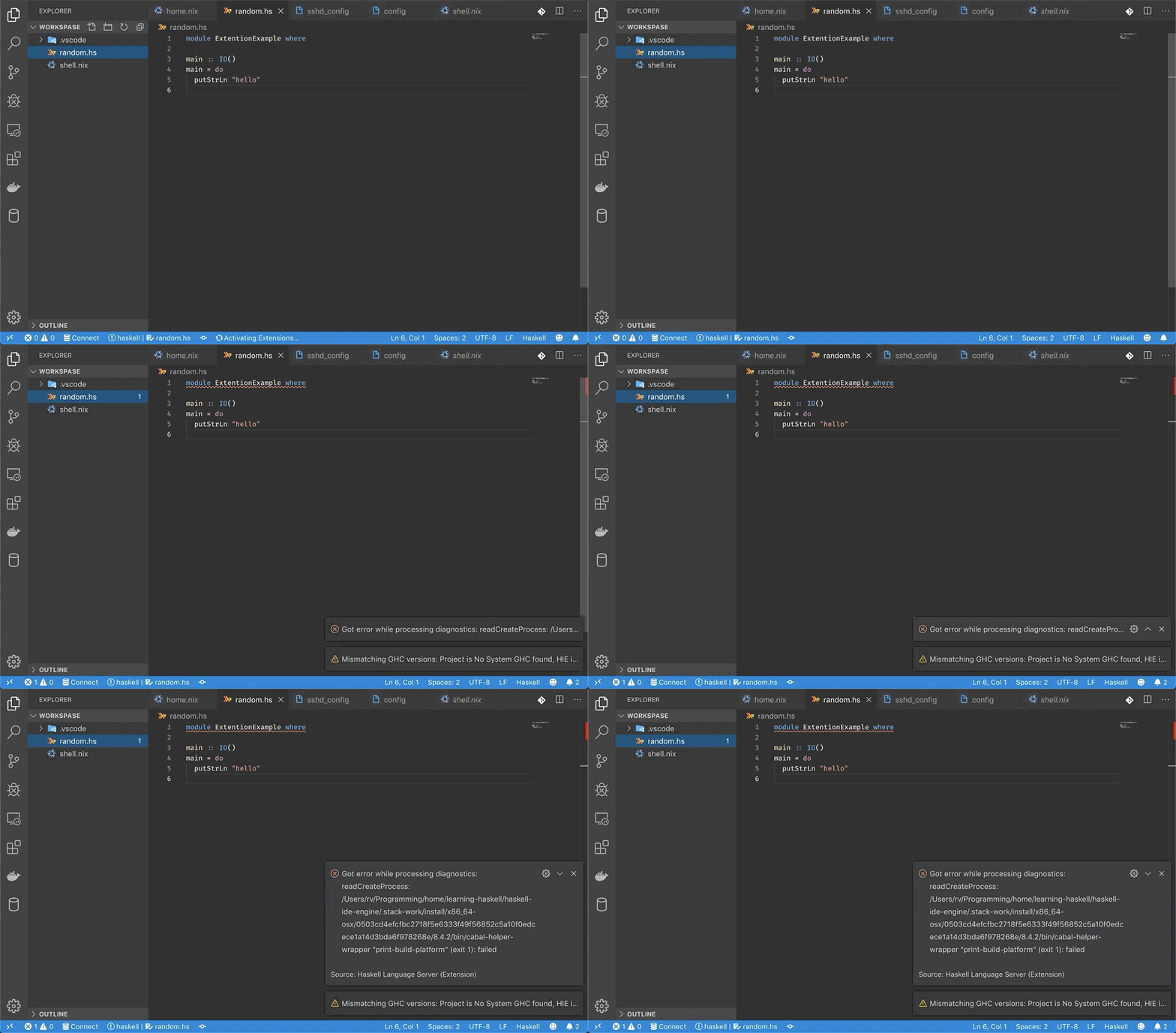
You can see, IDE can’t find a compiler. Let’s turn on shell.nix env.
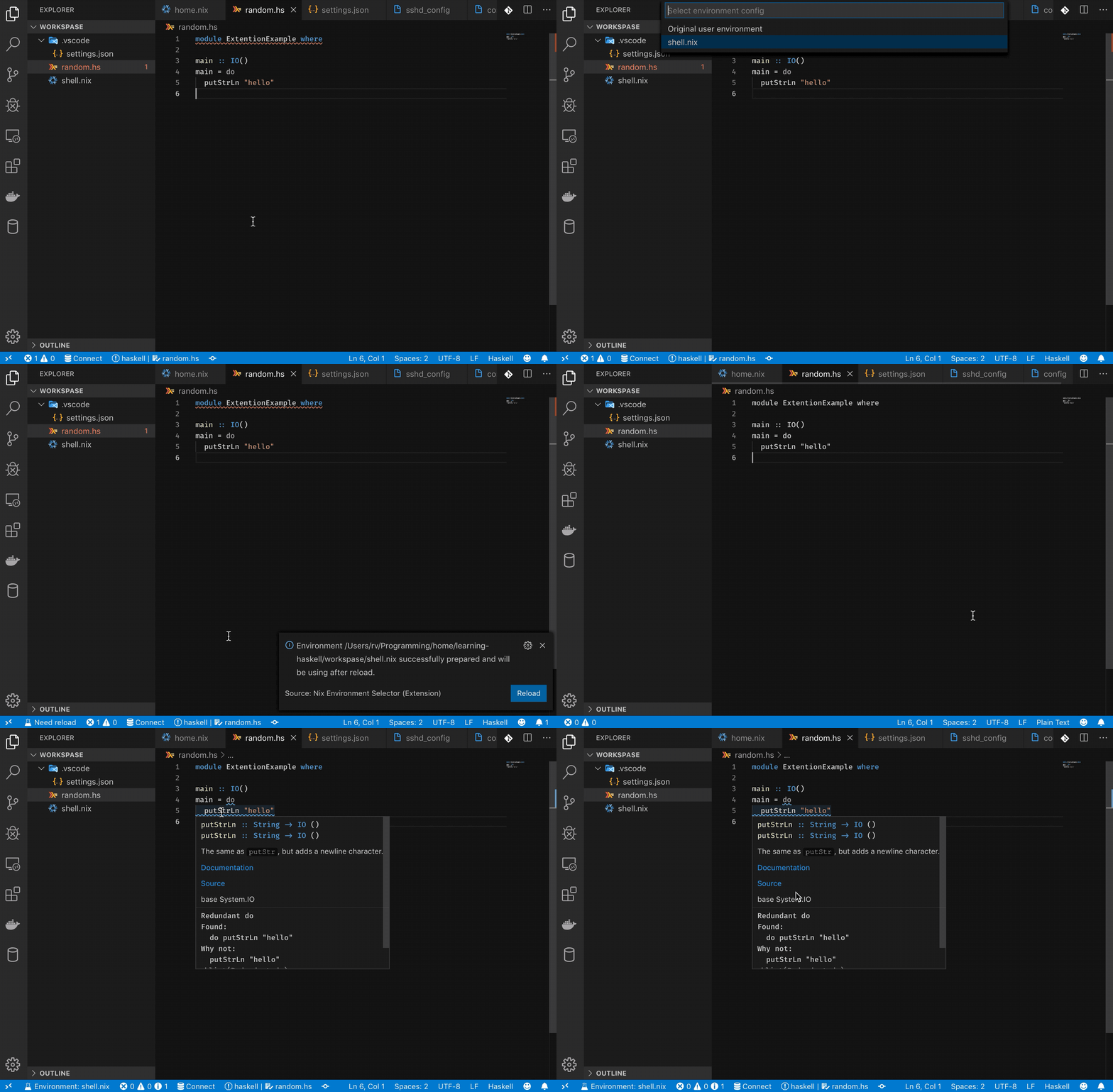
Bingo! Everything is fine now.
Conclusion
I hope the article brought you some new ideas about how to make your life easier and manage your project without chaos in your file system.
The benefits of this approach are:
- All packages in a separate workspace and don’t affect the global scope against you want it implicit
- Your IDE see all workspace staff and working as you expected
- Simple project bootstrapping from a config file on different machines
Nothing is perfect in our world:
- Need to learn a new language to write config files
- Nix CLI option has no obvious meaning and all the time when you interact with CLI tools you need read command help
- All programming languages have their stuff to install ecosystem libraries. Like NPM, Cabal, Cargo, Pip, etc. And when you install this kind of packages via Nix, you have a risk of getting not working from the box some linters, analyzing tools, etc.
External links
Автор: RV170
Источник [4]
Сайт-источник PVSM.RU: https://www.pvsm.ru
Путь до страницы источника: https://www.pvsm.ru/visual-studio/335835
Ссылки в тексте:
[1] Nix package manager: https://nixos.org/nix/
[2] Install the extension: https://marketplace.visualstudio.com/items?itemName=arrterian.nix-env-selector
[3] Extension GitHub Repository: https://github.com/arrterian/nix-env-selector
[4] Источник: https://habr.com/ru/post/474916/?utm_campaign=474916&utm_source=habrahabr&utm_medium=rss
Нажмите здесь для печати.